


ELECTRO-SAT BUSINESS
Buying Formuler as a reseller
Identify the version your customer needs. Check its full model name, software and supplied remote before requesting quantities. Use our current range and model guides to prepare a specific trade enquiry.
Record the model, MYTVOnline version and remote together
Z11 and Z12 are series names. Check the exact version, app generation and box contents on the product page and in its guide. Similar names can refer to different software, remotes and accessories.
List the full name, item code, intended application, supplied remote and required accessories. Give sales and installation teams the same list and verify the contents again if the bundle changes.
Choosing a remote for an existing installation
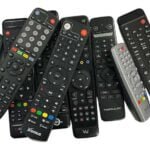
Ask for the exact receiver and existing remote codes. Establish whether the customer needs a replacement or extra controls. Similar-looking remotes may have different functions on different receivers.
Include both model names and request a compatibility check before a bulk purchase. Documentation for a different generation does not establish that the proposed pair will work.
From comparing models to requesting trade terms
Review the available Formuler models, narrow your selection with the comparison guide and list quantities per version. Tell us whether you are stocking your shop or supplying a specific installation.
Apply to Electro-Sat for a trade account. We review your application and discuss available terms. The online trade ordering service is being set up. An application alone does not approve dealer status or reserve stock.
Formuler quantity bands and enquiries for 200+ units
The quantity bands are 1–19, 20–59, 60–199 and 200+ units. Select, Gold and Platinum are separate account tiers. Personal trade prices are only available for your account.
For 200+ units, contact us on WhatsApp and include your company and the exact variant. Individual approval is separate. Confirm availability, price and shipping costs before ordering.
Planning support for your customer
Use the guide for the model sold. For a support request, record its full name, software version and the error shown. This keeps advice specific to the correct generation.
Hardware is sold separately from content services. Check whether the app supports the customer's licensed service. A Formuler device alone does not grant access to pay channels or subscriptions.
Trade purchasing questions
Which Formuler version should I request?
Give the full product name, current item code, quantity and required remote or accessories. Use the model guide to check the differences.
Does every Formuler remote work with every model?
Check the exact combination and the functions required. Ask for advice before buying several units if you are unsure.
Can I reuse a price from a previous Formuler order?
A previous order records its historical terms. Reconfirm the current price, version and availability for each new order.