

Remote not responding: IR, Bluetooth and the right version
Remote not responding: IR, Bluetooth and the right version
By Electro-Sat Amsterdam · Content updated on
Check whether all buttons fail or only TV volume/voice. IR, Bluetooth pairing and TV-learning are separate. A Bluetooth box does not necessarily include a Bluetooth remote.
Start with what still works
| What happens? | What to investigate |
|---|---|
| No buttons respond | Batteries, placement and the exact remote. |
| Only works nearby and when pointed | IR path and clear line of sight. |
| Box menu works, TV volume does not | TV-learning or supported TV control. |
| Normal buttons work, voice does not | Bluetooth/voice support for that exact remote and bundle. |
A simple test order
- Use good compatible batteries and check polarity.
- Test near the receiver with a clear IR path.
- Note any remote or box indicator light; indicators vary by model.
- If using an external IR sensor, check compatibility and connection.
- For Bluetooth, use only the exact remote's pairing procedure.
Why the model name matters
A14 Green lists IR RCU-A3R; Green+ lists backlit Bluetooth RCU-A5. The plus matters for the supplied remote. Formuler also has standard and BT bundles. Use the help identifying your remote and check the exact shop version.
Avoid the wrong replacement
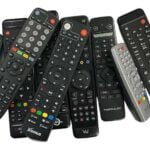
A similar shape or brand does not prove compatibility. Note the full receiver name and old remote code. Send photos if unsure, without account details, so we can check a replacement before you order.
Still having trouble?
Describe which buttons work and whether pointing helps. For Formuler, the official remote support offers further checks. For a possible fault after purchase, use the warranty and repair route . Buy a replacement only after confirming version and compatibility.
Frequently asked questions
Does Bluetooth in the box mean a Bluetooth remote is included?
No. Check the supplied remote and supported features for the selected version.
Can I use one pairing shortcut for every brand?
No. Procedures vary by remote and device. Use instructions for the exact version.
What should I send if I cannot identify my remote?
Photos of receiver and old remote, plus the model number. Do not share passwords or account details.
Sources and applicability
Use instructions for the exact model and software version. General checks are not a confirmed diagnosis of your device.
- Formuler: remote troubleshooting ↗
- A14 Green with IR RCU-A3R information ↗
- A14 Green+ with RCU-A5 information ↗
Welke remote control past op mijn Xsarius?
Zoek de volledige modelnaam op de sticker van je receiver. Noteer ook het modelnummer van de oude remote control, bijvoorbeeld aan de achterkant of in het batterijvak. Vergelijk beide gegevens met de compatibiliteitslijst bij de vervanger.
Test de oude remote control eerst met verse batteries. Bij infrarood houd je de remote control tijdens de test recht op de receiver en zorg je dat er niets voor de sensor staat. Bij een Bluetooth-model controleer je of de remote control nog gekoppeld is. Staat jouw exacte receiver niet in de compatibiliteitslijst, geef dan beide modelnummers door aan de klantenservice voordat je bestelt.
View ook onze vergelijking van Xsarius-modellen.