
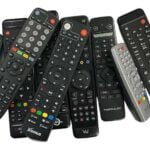


HDMI-CEC: control several devices with one remote?
HDMI-CEC: control several devices with one remote?
CEC passes basic controls between compatible devices. Working buttons depend on both devices.
What does CEC do?
CEC sends commands over HDMI, such as joint power-on or input switching. It does not automatically put every receiver function on the TV remote.
Test specific functions
- Check CEC on both TV and receiver.
- Look for HDMI-CEC, Anynet+, SIMPLINK or BRAVIA Sync in both devices.
- Test power, input and volume separately; a soundbar can affect results.
TV switching unexpectedly?
Another HDMI device may send commands. Disable one CEC function at a time, noting original settings. CEC handles control; ARC/eARC return sound to compatible audio equipment.
Source for brand names and controls: official Roku CEC explanation. Use your device's own manual.
Electro-Sat guidance, checked 5 November 2026. Menus/support vary by model and software. A TV box does not automatically include channels or a subscription.