

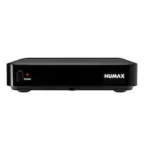


Homatics Dongle Q 4K – picture, internet and recording
Check connections at home, what to prepare for travel and how much free space to reserve for recordings.
How much recording space do I need for Homatics Dongle Q 4K?
Want to save a programme? First check that your device, app and service support local recording. This calculator estimates space for a working recording setup.
Without your own bitrate, we use 4 and 16 Mbit/s as examples. At 8 Mbit/s an hour uses about 3.6 GB. Leave room for changes in picture quality.
Questions about Homatics Dongle Q 4K
Can I use Homatics Dongle Q 4K abroad?
You can use the player with a suitable internet connection. Ask your provider which apps and programmes are available at your destination. Hotel Wi-Fi may require a sign-in page. Check the plug and input voltage on the power adapter.
Can I connect the Homatics Dongle Q 4K over Wi-Fi or should I use Ethernet?
Yes, this version has built-in Wi-Fi. Select your network in the network settings.
Will Homatics Dongle Q 4K work with my TV or projector?
Connect the HDMI output to a free HDMI input on a TV or projector and select that input. For 4K, HDR or protected apps, the display, cable and any intermediate devices must support the format and required copy protection.
Why is free space lower than the box capacity?
System files, apps and content take up space. Open the storage settings of the selected drive or receiver and use its free GB. RAM is working memory and does not count as recording storage.
What should I connect first at home?
Connect the player to the TV and its correct power supply. Select the TV input, connect to your home network and check that your own app and service support this model.
What should I check if the screen stays black?
Check power and the selected TV input number. Try a direct cable to a free input, bypassing the soundbar or HDMI switch. If the menu appears but one programme does not, check that source or app.
How can I narrow down intermittent loss of picture?
Compare the same programme on another device on the same network. Try a different programme on this player too. This helps distinguish the source, network and device.
Can I watch another programme while recording?
It depends on recording support in the app and simultaneous connections allowed by your service. Test a short recording with a permitted source before scheduling an important broadcast.
How do I check which software update fits this model?
Note the full model name and installed version in system information. Use the official updater or the manufacturer’s instructions for that exact version. Keep power connected throughout the update.
What should I have ready if I need help later?
Note the model code, software version, on-screen message and cable or app used. Our shop or WhatsApp team can then assist more precisely. Keep passwords and account codes private.