



Wi-Fi 6 versus Wi-Fi 6E for media players
Wi-Fi 6E adds 6 GHz support when both router and device use it. This may help on crowded networks, but is not the best solution in every home.
Kort uitgelegd
Wi-Fi 6 handles many devices efficiently on bands including 2.4/5 GHz. 6E adds spectrum at 6 GHz. Practical results depend on router, distance, walls and regional rules.
When is 6 GHz useful?
Near a compatible router with crowded 5 GHz channels. Across distance or walls, range may be weaker. Theoretical speed does not describe your living-room connection.
Wi-Fi 6E labels are not always clear
Check explicit 6 GHz and band information. “Dual-band” alongside 6E is unclear without listing bands. Ask per model; do not assume tri-band without evidence.
What if TV over Wi-Fi stutters?
Check signal, router, source and app first. Ethernet is often predictable. 6E cannot magically fix poor router placement or a limited source. See the Wi-Fi and LAN guide for troubleshooting.
Which feature should you choose?
No Wi-Fi 6E router? The extra band offers no immediate benefit yet. A compatible router nearby? It may be useful. Reliable Ethernet cable available? Ethernet may be the simplest solution.
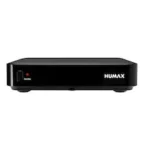
View confirmed network specifications in the media player range before choosing a model.
Frequently asked questions
Is Wi-Fi 6E always faster than Gigabit LAN? No; actual conditions and hardware determine that.
Is 6 GHz the same as 6 Gbps? No. 6 GHz is a frequency band, not guaranteed speed.
Check the whole connection before buying
- Check the exact router's 6 GHz support and whether enabled.
- Check the player's supported bands too. A Wi-Fi name alone does not prove the connected band.
- Test by the TV using your actual app and source.
- Compare several times; check any mesh node's link to the main router.
- Temporarily test Ethernet before replacing equipment if possible.
Internet plan speed, local Wi-Fi link rate and video bitrate differ. A faster label cannot improve a slow source. NAS also depends on local networking; read the NAS and USB storage guide.
Source and applicability
Cisco: Wi-Fi 6 and Wi-Fi 6E explains 6 GHz and compatible hardware. Frequencies vary by region; this does not confirm an individual product's support.
Checked on 5 November 2026. Electro-Sat sells hardware; streaming/IPTV subscriptions are not included.