





Xsarius Sniper 2 UHD 4K – aansluiten, bedienen en specificaties
Xsarius Sniper 2 UHD 4K runs Linux, with 1 GB RAM and 8 GB total storage. Ethernet: 100 Mbps. Wi-Fi: Dual-band wifi (2,4 en 5 GHz).
View Xsarius Sniper 2 UHD 4K in the shop →
Who is Xsarius Sniper 2 UHD 4K suitable for?
This receiver suits a setup using Linux and Xsarius PremiumTV 2 voor Linux. Before buying, check that your service and apps support this combination. A TV box alone does not provide access to paid channels or subscriptions.
This version lists 100 Mbps Ethernet. If Gigabit is essential, compare a model explicitly supporting 1000 Mbps.
The stated 8 GB is total capacity. The operating system and installed apps use some of it, so free space is lower. Storage capacity does not guarantee recording support in every app.
Specifications of Xsarius Sniper 2 UHD 4K
- System
- Linux
- RAM
- 1 GB
- Total storage
- 8 GB
- Ethernet
- 100 Mbps
View all technical specifications
| Operating system | Linux |
|---|---|
| TV app | Xsarius PremiumTV 2 for Linux |
| RAM | 1 GB |
| Total storage | 8 GB |
| Processor | HiSilicon quad-core ARM Cortex-A53 |
| Grafische processor | Mali-450 |
| Wi-Fi | Dual-band Wi-Fi (2.4 and 5 GHz) |
| Ethernet | 100 Mbps |
| Bluetooth | Unspecified / awaiting confirmation |
| Picture / resolution | 4K UHD at 60 frames per second |
| HDR | HDR10 |
| DRM | Unspecified / awaiting confirmation |
| Connections | HDMI, 2 × USB 2.0, S/PDIF, AV output and Ethernet |
| USB 2.0 | 2 |
| USB 3.0 | Unspecified / awaiting confirmation |
| Videocodecs | Unspecified / awaiting confirmation |
| Audiocodecs | Unspecified / awaiting confirmation |
| Remote control | Unspecified / awaiting confirmation |
| Power supply | 12 V DC |
| Maximum consumption | Unspecified / awaiting confirmation |
| Stand-byverbruik | Unspecified / awaiting confirmation |
| Dimensions / weight | 111 × 111 × 20 mm |
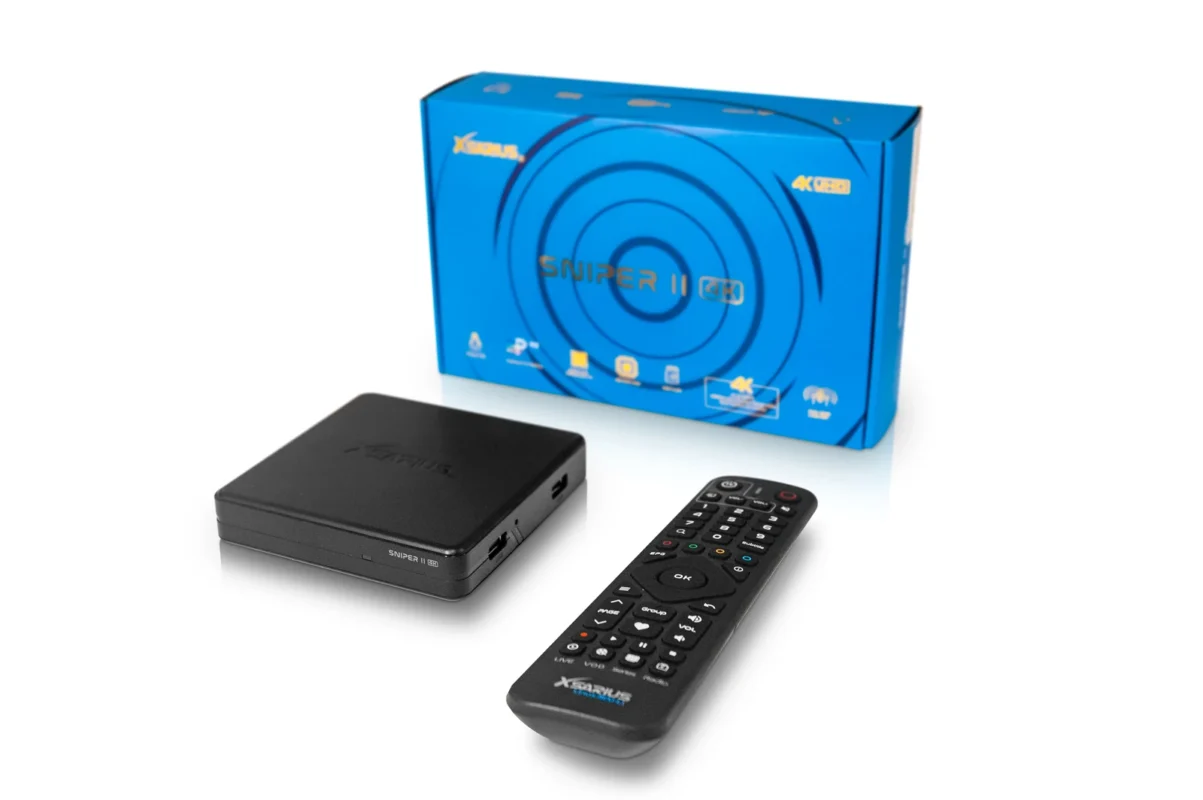
| In the box | Sniper II UHD 4K, remote, power adapter, HDMI cable, two batteries and quick start guide |
Gegevens van deze exacte winkeluitvoering. Niet vermelde specificaties zijn nog not confirmed. Total storage is including systeem en apps.
Product specifications: information source ↗ · Specificaties bijgewerkt op 20 november 2026.
Connection and first use
Check the exact version and supplied accessories on the product page. Connections on this model: HDMI, 2 × USB 2.0, S/PDIF, AV-uitgang en ethernet.
- Connect the receiver to a free compatible TV input and select that input on the TV.
- Use the Ethernet port (100 Mbps) for a wired connection to your router if required.
- For wireless networking, select your own network in the settings. This model lists Dual-band wifi (2,4 en 5 GHz).
- Use the correct power supply for this version (recorded specification: 12 V DC), then follow the on-screen instructions.
- Check the controls and configure only your own lawful service. Keep login details secure.
Software, apps and updates
The model record lists Linux and Xsarius PremiumTV 2 voor Linux. Availability, interface and features may vary by firmware and service. Check updates in the system settings or with the manufacturer. Do not install firmware for another model. No future update or fixed support period is promised here.
Your questions about Xsarius Sniper 2 UHD 4K
From your existing TV and favourite apps to recording and connection problems.
What is included with Xsarius Sniper 2 UHD 4K? Is there a TV subscription?
You are buying the receiver. Its record lists Linux with Xsarius PremiumTV 2 voor Linux. The app is a player, not a channel package. Paid content requires your own valid compatible service. Check accessories for the chosen shop version; another bundle may include a different remote.
Will Sniper 2 UHD 4K work with my TV?
Listed connections: HDMI, 2 × USB 2.0, S/PDIF, AV-uitgang en ethernet. Use a compatible TV input and select it with the TV remote. The receiver, TV and connection must all support the resolution you want. A 4K label alone does not establish the maximum quality of a particular streaming service.
Can I use Netflix, Disney+ or other apps?
This receiver runs Linux rather than Android. Check that your service supports its specific app environment; do not assume Android apps can be installed.
Wi-Fi or Ethernet for Sniper 2 UHD 4K?
Recorded Wi-Fi: Dual-band wifi (2,4 en 5 GHz). Recorded Ethernet: 100 Mbps. A network standard is not the actual achievable streaming speed. Distance, walls, router, congestion and service all matter. If playback stutters, test another stream and check the connection before replacing the box.
How much of the 8 GB storage can I use?
8 GB is total storage before the system and apps. The exact free space is not established and may change after updates. 1 GB RAM is different: active processes use it. Check actual free space in storage settings before saving large files or recordings.
Can I use catch-up, pause Live TV and record programmes?
The model lists Xsarius PremiumTV 2 voor Linux. Available features depend on the device, installed app version and your service. Recording or timeshift may need suitable free storage. Watching while recording may require multiple service connections. Catch-up uses the service’s archive; the box does not supply that archive.
Which remote belongs to this version?
The supplied remote needs confirmation for the chosen version. Bluetooth, infrared, voice and TV-learning are separate features. Use the exact remote's pairing manual, not another model's shortcuts.
Do I need internet, and what if my service fails?
Online streams need a working connection to the service. The receiver cannot bypass a provider outage or guarantee channels. Check other internet services and whether one or all streams are affected. Use local media only where the model documentation supports it.
How does it differ from Xsarius Sniper X?
Sniper 2 UHD 4K lists 1 GB RAM and 8 GB storage; Sniper X lists 1 GB DDR3 and 8 GB eMMC. Ethernet is 100 Mbps versus 100 Mbps. Compare the remote and app version too. Choose for your use and connections, not just a higher model number.
What information helps Electro-Sat solve my problem?
Tell us the exact model (Xsarius Sniper 2 UHD 4K), firmware and app versions, connection method (Wi-Fi or cable) and error message. Say whether all channels or just one app are affected. Do not share passwords, full playlist URLs or other login details. A photo of the model number or error is usually more helpful than a general description.
Troubleshooting
- No picture from this receiver
- Check TV input, power and video cable. Test one connection at a time and temporarily remove intermediate equipment.
- Picture but no sound
- Check mute and the selected audio output. Start with default sound settings and check TV or receiver support.
- The remote does not respond
- Check batteries and the correct remote type. For Bluetooth, follow the exact model's pairing procedure rather than another model's button combination.
- An app does not work as expected
- Note the model, firmware and app version. Check that the service supports Linux on this box and ask for advice before a factory reset.
Compare with Xsarius Sniper X
Sniper 2 UHD 4K lists 1 GB / 8 GB; Sniper X lists 1 GB DDR3 / 8 GB eMMC. Compare the system, network and remote as well. More memory alone does not automatically make a model more suitable.
Read the Xsarius Sniper X guide →Wat zou jij verbeteren?
Een functie die je mist of een fout in je Xsarius Sniper 2 UHD 4K? Geef je ervaring door.
Wat verandert bij een nieuwere modelserie?
Compare Xsarius Sniper 2 UHD 4K met Sniper 3. Beoordeel vooral de verschillen die jij dagelijks gebruikt.
- RAMSniper 2 UHD 4K: 1 GBSniper 3: 2 GB DDR
- Total storageSniper 2 UHD 4K: 8 GBSniper 3: 8 GB Flash
Bewaar de kerngegevens en links voor installatie of een vraag aan onze winkel.